
Everything you meant to go back to.

Drop a place in from any app. It lands on your map, ready for your next night out or trip.
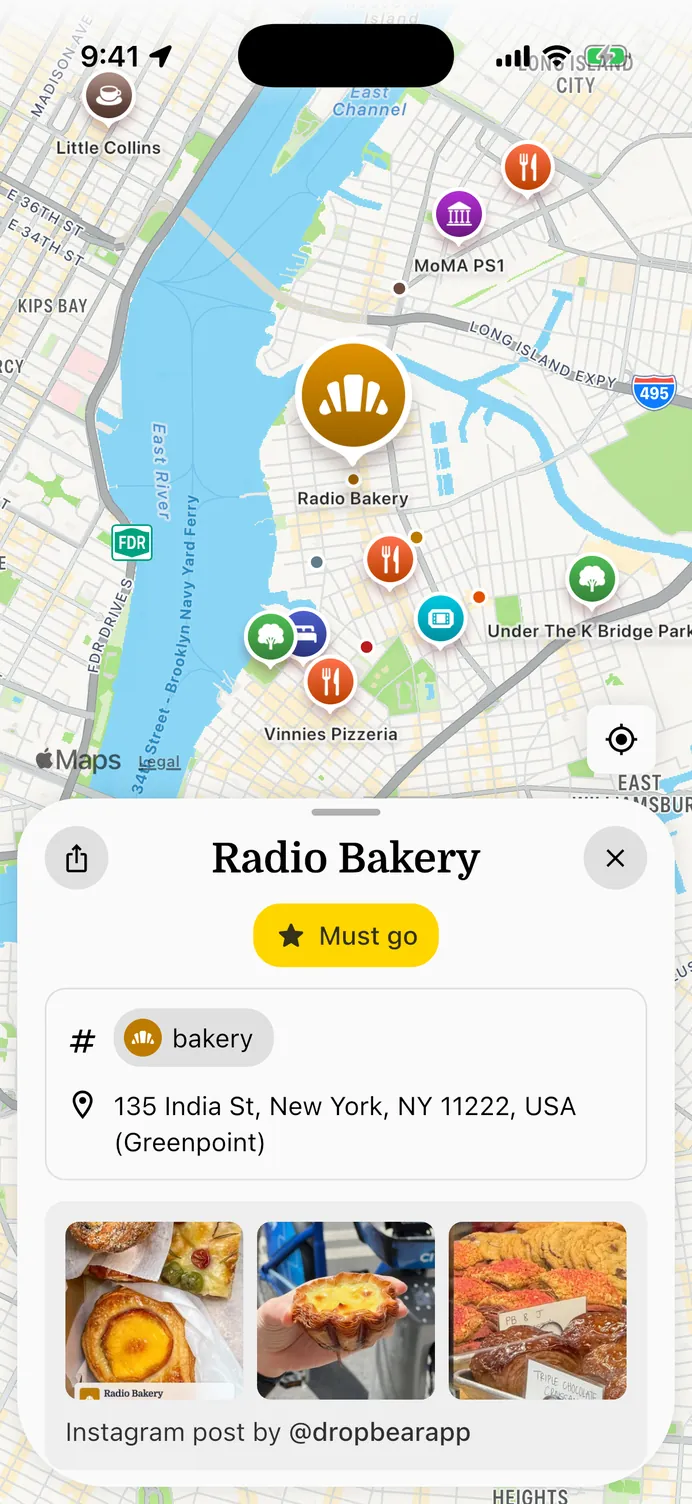
The app showing saved places across Greenpoint and Williamsburg, with Radio Bakery open in a half sheet.

One more you’ll never go to.

Saving a place is easy. It’s the going that doesn’t happen. Two hundred reels, or two hundred stars on Google Maps — and not one of them answers “where shall we go tonight?”

But this time, you’ll actually go.

How it works

Drop it in. That’s the whole job.

01

Hit share

Wherever you found it, hit share and pick Dropbear.

Instagram Google Maps Apple Maps
Screenshots Any link
02

Your phone reads it

It reads the post, page or picture, works out which place it means, and looks up the real address.

03

There it is

On your map with a real pin, and back to what you were doing.

These three steps, recorded on an iPhone.

Filed by city. Not by you.

Neighborhood, region, category — all worked out on the way in. And when it’s time to pick a place, three hundred saves narrow to a handful.

Private by design

Read on your phone. Seen by no one.

On newer iPhones, Apple Intelligence reads what you share in — not our servers, and not somebody else’s AI either. What gets saved is the place, and a link back to where you found it. Your map is private until you invite friends to it.

Reading what you share in
Apple Intelligence
What gets saved
The place, and its source
Who can see it
You, and friends you invite
Sent to an AI company
Never
Android and older iPhones use an open on-device model.
The price

Free. Unlimited.
No asterisks.

Save ten places or ten thousand. We build on open map data, so nobody bills us per place.

When can I actually get it?

Soon. Join the list and we’ll email you when it’s ready to download — no request, no queue to jump.

Is there a limit?

No. Not at three hundred places, not at three thousand — and no paywall that turns up one day to keep the ones you already saved.

How is this different from a Google Maps list?

You never make a list. Dropbear files everything by city and tags it as it arrives, then narrows it down when you’re actually deciding where to go. Searching and filtering work too.

Can I bring my Google Maps lists?

Yes. Import them and they arrive filed the same way — by city, with a category on each one.

What can I save from?

Instagram posts, reels and profiles, web pages, Google and Apple Maps links, and screenshots.

How does it use AI?

To pull the place out of what you share in — the name and address buried in a caption or a web page, and the text in a screenshot — so you never type any of it. On newer iPhones that’s Apple Intelligence; on older iPhones and on Android, an open on-device model.